
Built for sound designers, sample library owners, and post-production teams who need complete, accurate metadata across large collections of audio files.
ShadowTag is a modern macOS application designed for macOS 26. Whether you're processing a handful of files or an entire library, ShadowTag uses every core on your Mac to get the work done quickly. ShadowTag is fast.
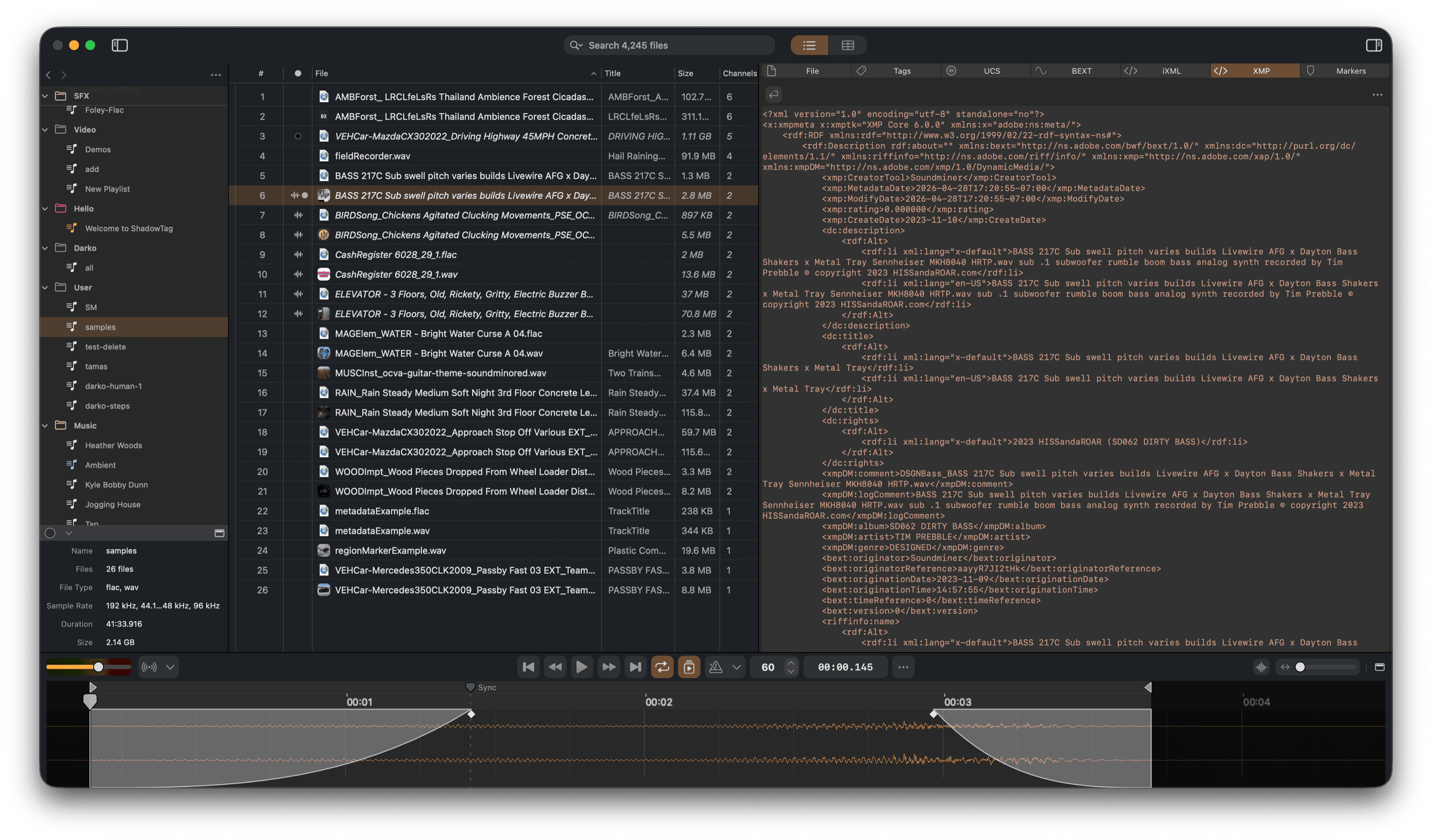
ShadowTag reads and writes every major metadata standard — ID3v2, Vorbis Comments, MP4 atoms, BEXT, iXML, XMP, and UCS — directly into your audio and video files, keeping your library portable and compatible with any DAW, asset management system, or licensing platform.
Metadata editing never touches your audio. Audio editing — fades, trims, normalize — is non-destructive and only writes to disk when you save.
Screenshots

Library Management
Organize files into playlists and playlist groups. ShadowTag stores references, not copies — your files stay where they are. Playlists persist automatically as you work and are fully restored on next launch. Drag files or entire folders from Finder to add them; folders are scanned recursively for supported audio and video formats.
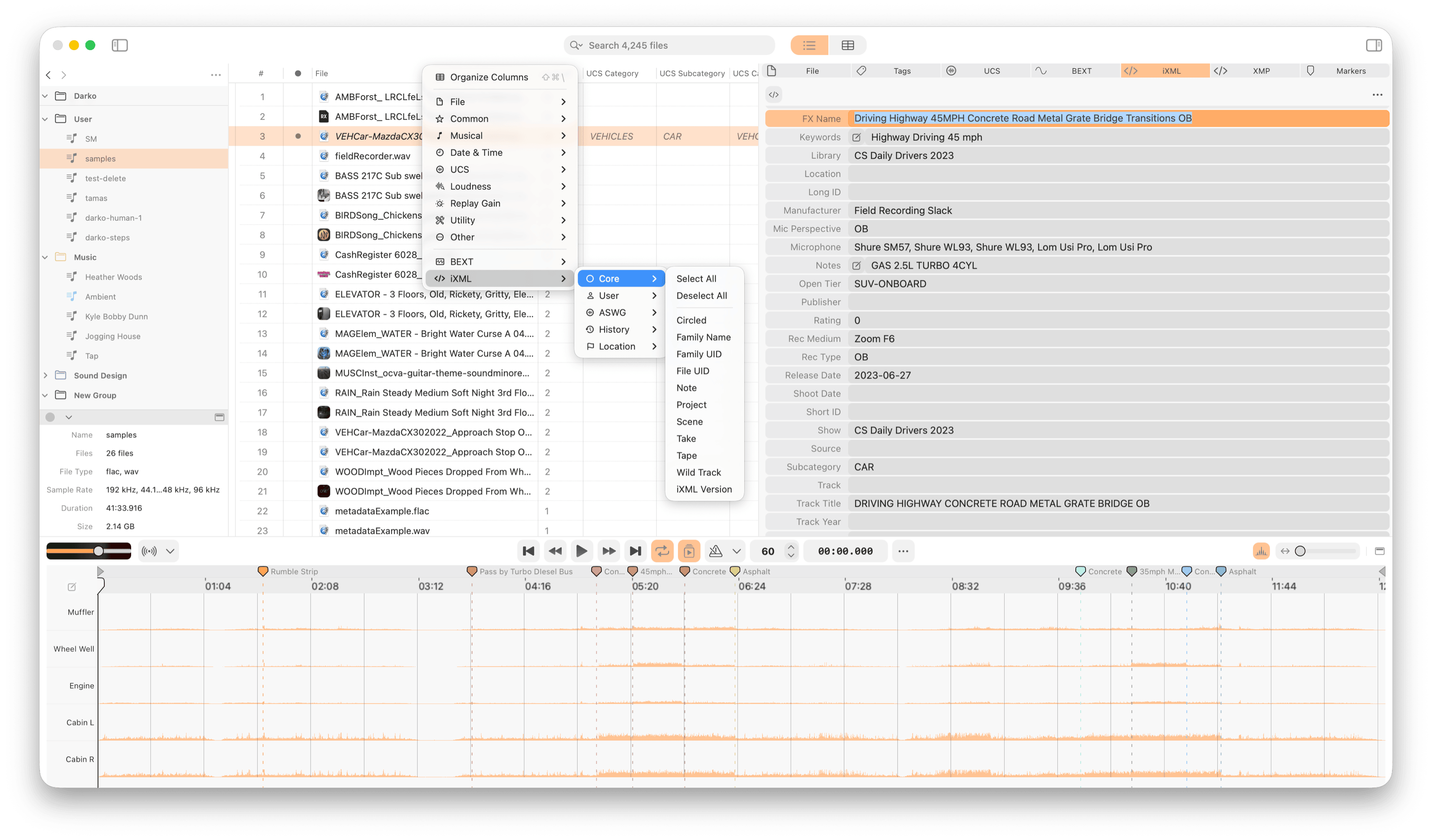
The file table is fully customizable: show, hide, and reorder columns to surface the metadata that matters to your workflow — including channels, sample rate, bit depth, file path, and any iXML field.
Files in a playlist drag directly into your DAW — the real file on disk is delivered with all embedded metadata intact. No export step, no proxy format.
Finder Tags & Custom Colors
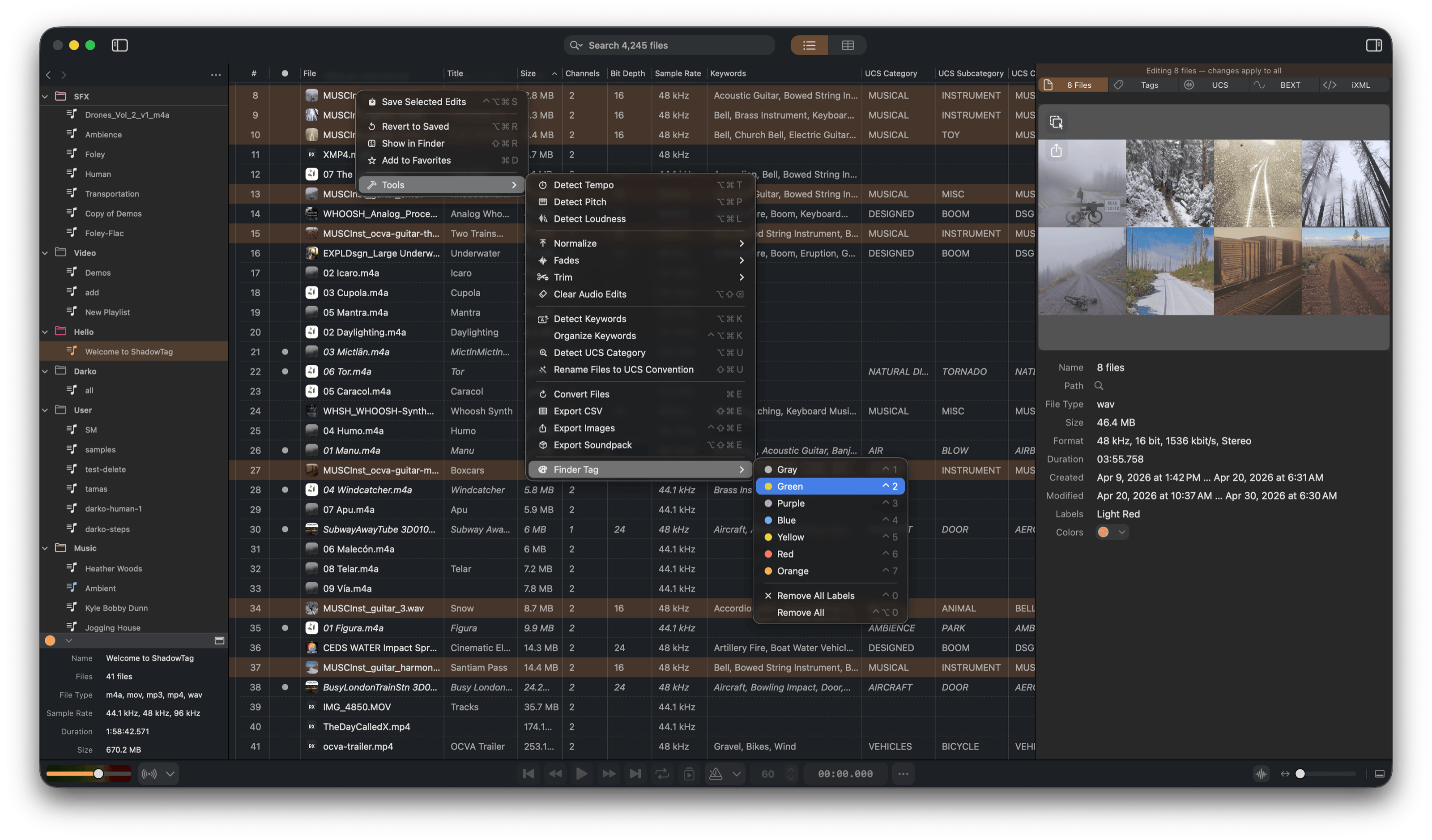
ShadowTag reads and writes macOS Finder Tags, so the colored labels you assign in the app are immediately visible in Finder and Spotlight. Beyond macOS's built-in palette, ShadowTag lets you define custom tag colors, giving you a broader visual vocabulary for marking file status, review state, or any workflow distinction your library needs.
Metadata Editing
A unified Editor panel exposes all metadata standards in one place, with iXML organized into a structured form editor grouped by section (Core, Project, Recorder, and more). Select multiple files to view and edit shared values across a whole selection at once. Unsaved changes are tracked per file and shown inline in the file list.
For quick changes, double-click any metadata cell in the file list to edit it in place — no need to switch focus to the Editor panel.
Supported standards and file types:
| Standard | File types | Used in |
|---|---|---|
| Tags | All (ID3v2 for MP3/WAV/AIFF; Info for WAVE; Vorbis Comments for FLAC/OGG; MP4 atoms for M4A) | DAWs, music players, streaming |
| BEXT | WAV, FLAC | Broadcast audio, post-production |
| iXML | WAV, FLAC | Field recording, film & TV production |
| XMP | WAV, AIFF, MP3, M4A (embedded) | Adobe ecosystem, DAM systems |
| UCS | ID3 TXXX tags / iXML fields | Sound effects libraries, sync licensing |
| Markers | WAV (cue points), AIFF (marker chunks), MP3 (ID3 chapters), M4A/MP4 (chapter atoms), FLAC/OGG (Xiph chapters) | DAWs, samplers, chapter navigation |
Automated Analysis
Let ShadowTag tag your files for you. All analysis runs entirely on-device — no internet connection required — and results are written directly into the file's metadata.
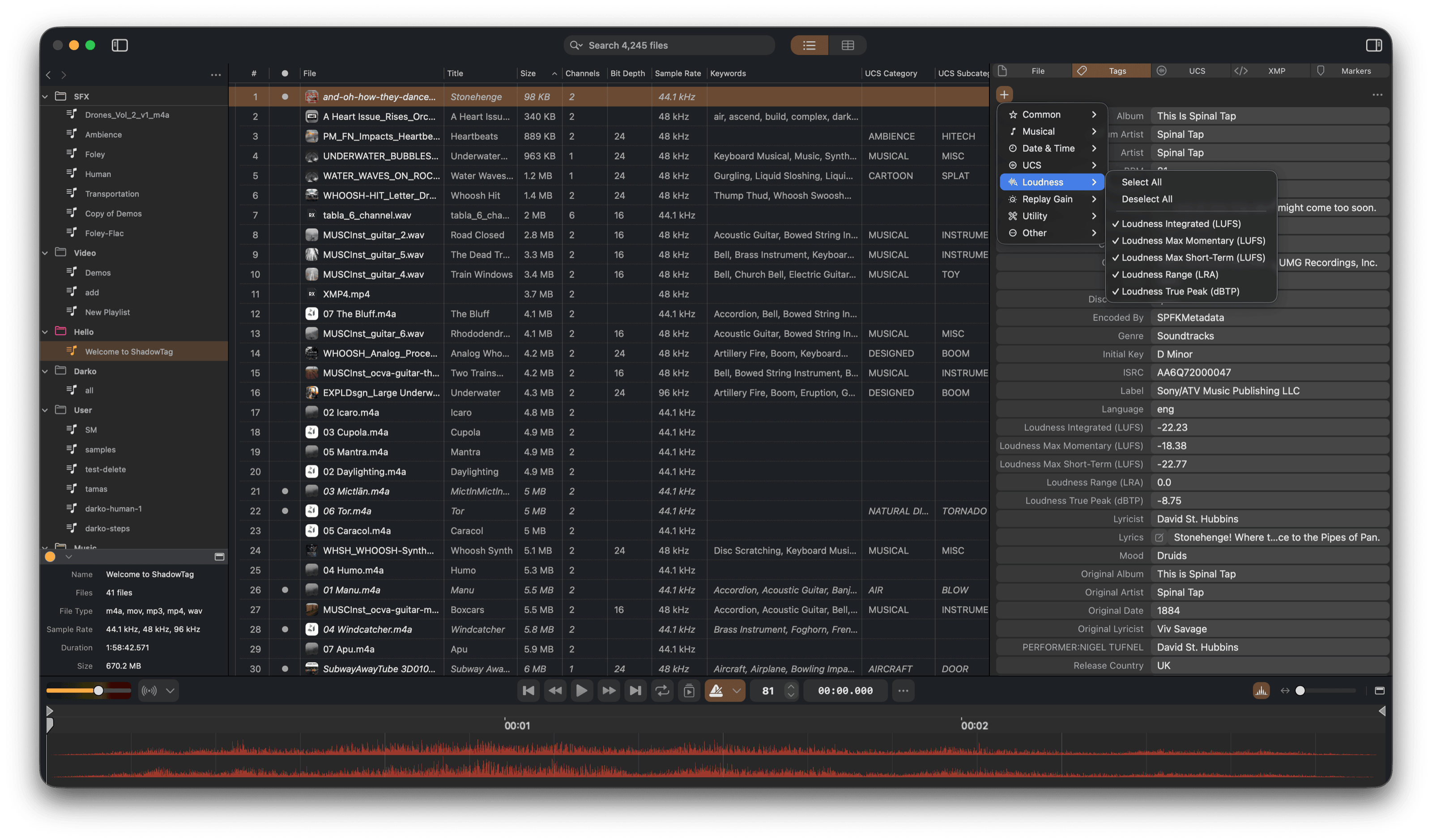
- Loudness — Full broadcast loudness analysis: integrated loudness, loudness range, true peak, max momentary, and max short-term. Results go to ID3 tags and, for WAV files, the BEXT loudness fields.
- Tempo — BPM detection written to the BPM metadata field. Also drives the built-in metronome during playback.
- Musical Key — Pitch class and tonality detection, written to the ID3 Initial Key field.
- Detect Keywords — On-device sound classification generates descriptive keywords for quick searching and filtering.
- UCS Category — Automatic UCS category and subcategory suggestions based on filename, existing tags, and audio content analysis.
UCS Support
ShadowTag has built-in support for the Universal Category System — the open standard for categorizing sound effects used by professional sound libraries and sync licensing platforms worldwide. Edit all standard fields directly: Category, Subcategory, and Category ID. UCS data are stored as ID3 TXXX tags so are visible in any other application.
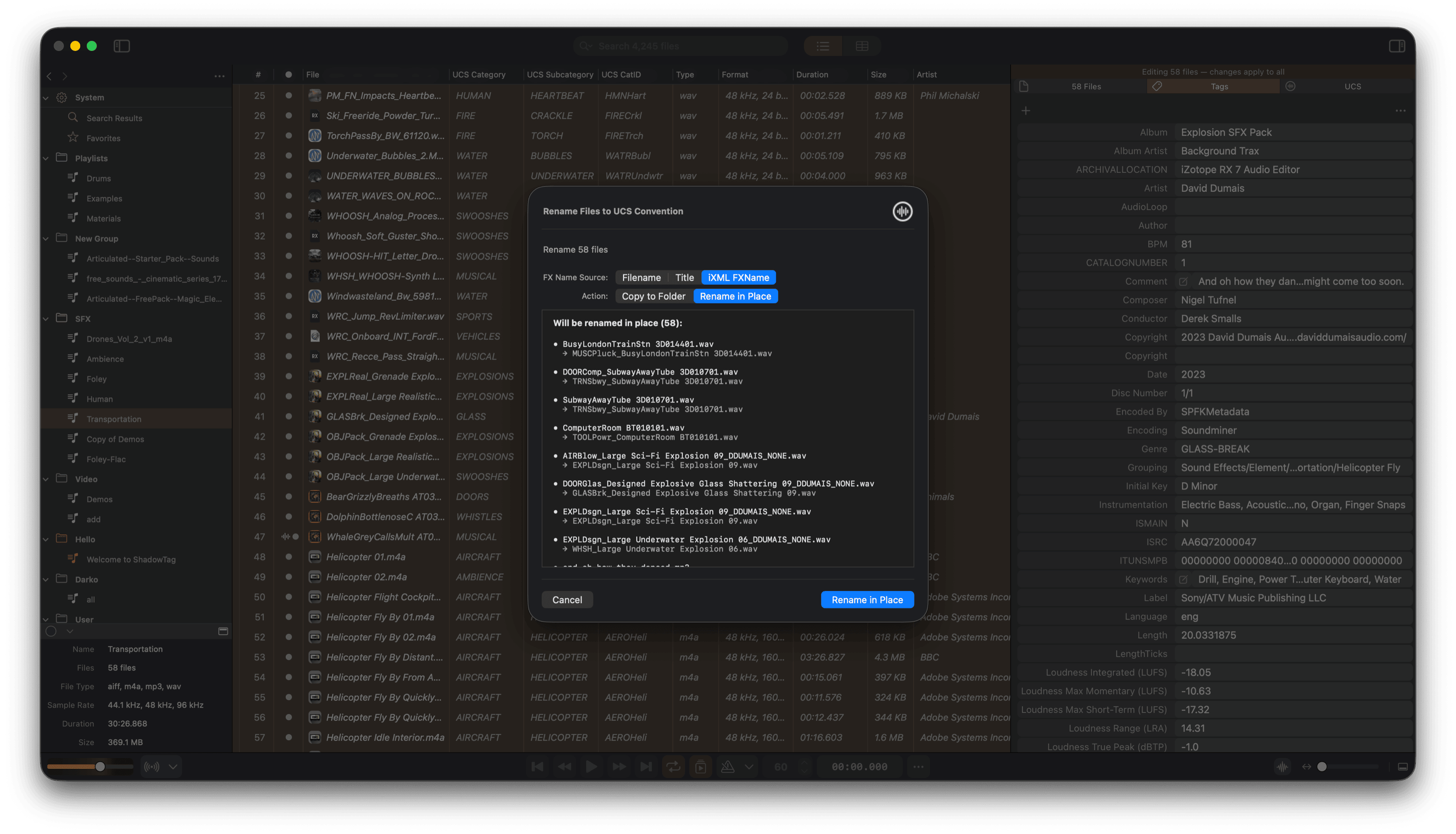
Use Tools > Detect UCS Category to auto-suggest categories, and Tools > Rename to UCS Convention to rename files to the UCS filename standard.
Playback & Auditioning
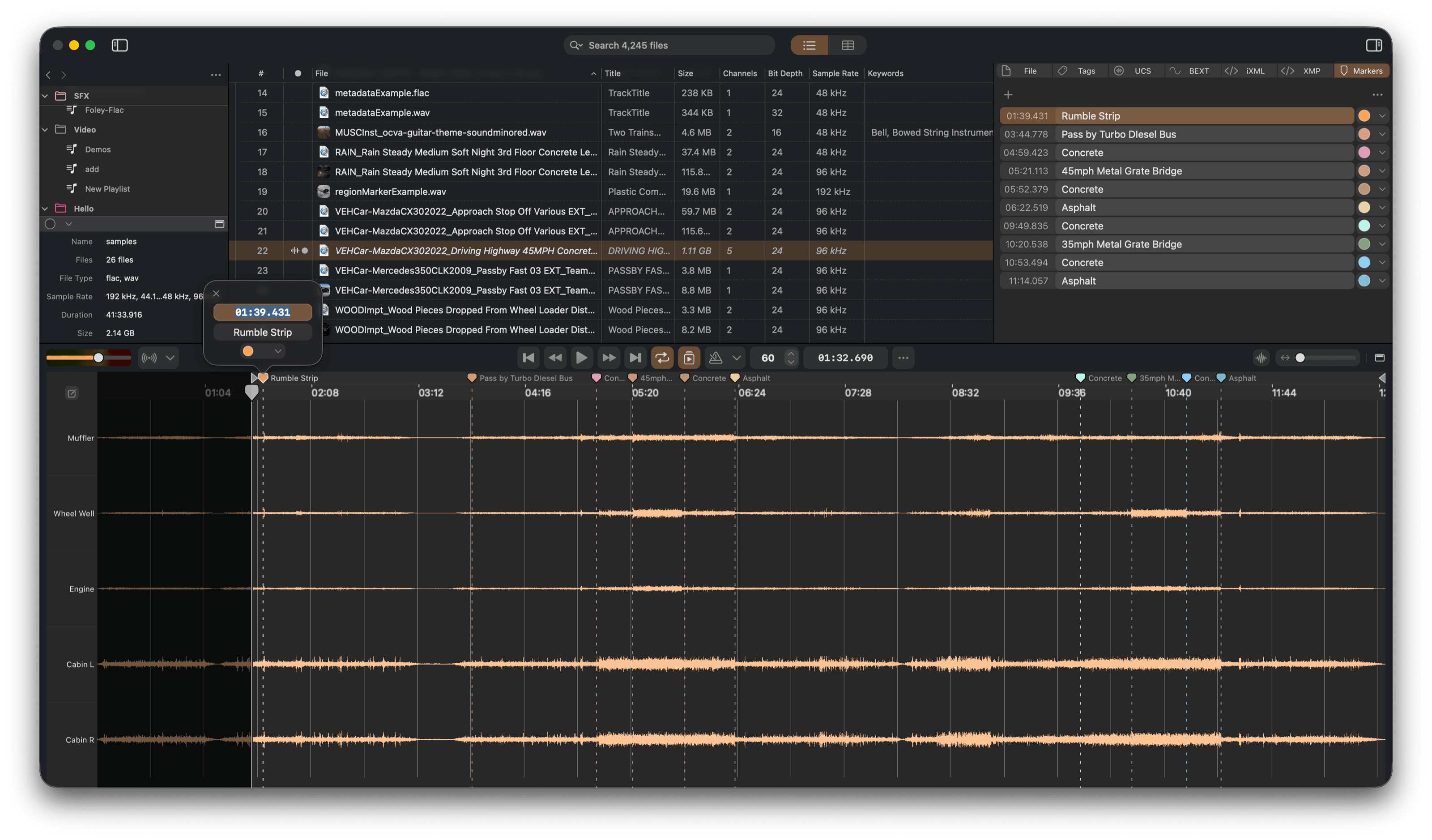
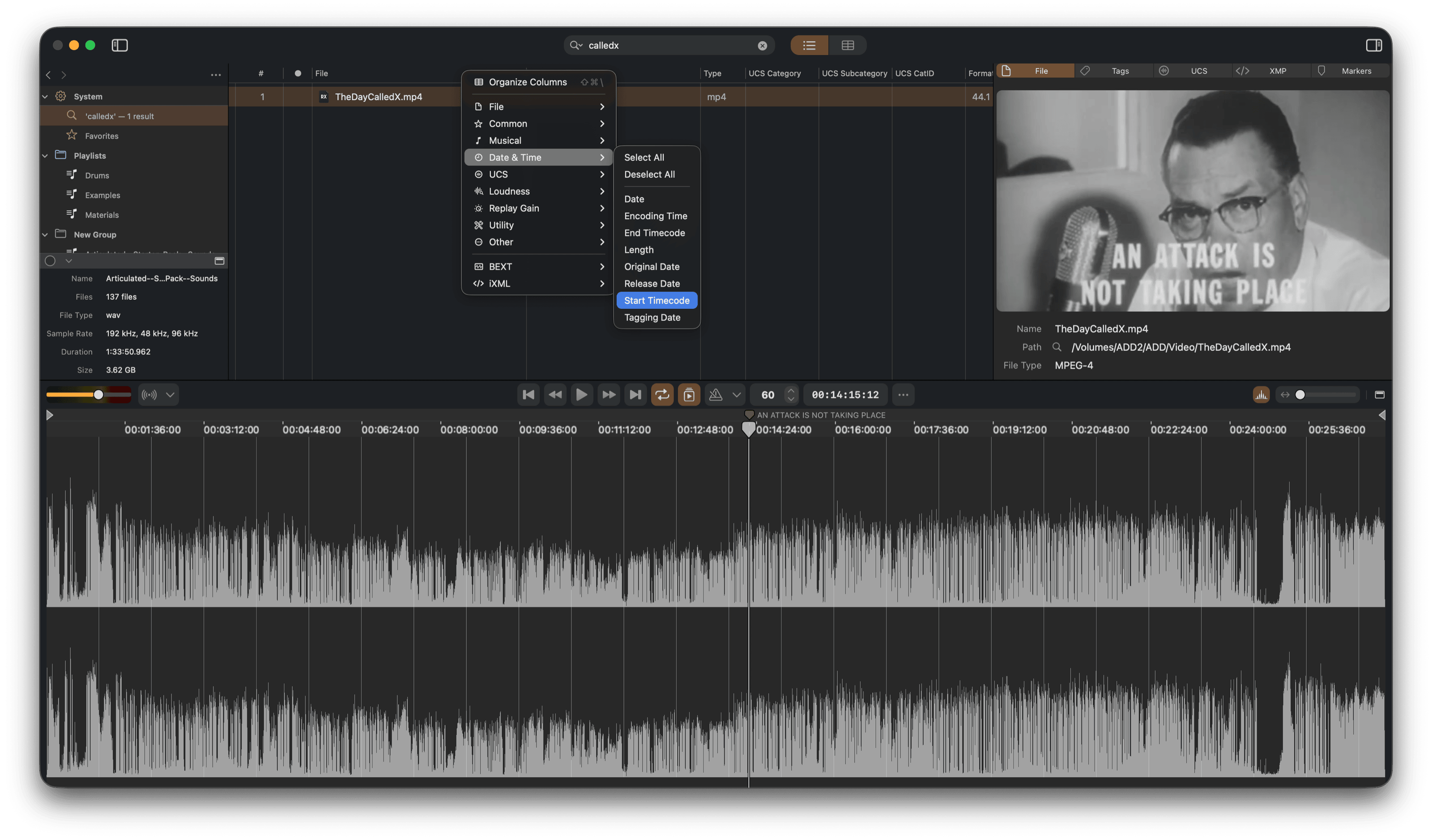
A built-in audio player lets you audition files in context. The waveform view shows playback position in real time with support for loop regions, playlist mode (auto-advance), and markers. A ruler runs above the waveform showing real time for audio files and SMPTE timecode for video files with embedded timecode, with an optional bar-and-beat overlay driven by the file's BPM. Load Audio Unit plug-ins into the signal chain to audition files through your processing — without modifying the file. ShadowTag can also play video files and display their embedded metadata such as XMP.
Multichannel files with iXML track names display per-channel labels in a header column next to the waveform, so you can see at a glance what each channel contains.
Markers are stored in the appropriate format for each file type: cue points in WAV, marker chunks in AIFF, ID3 chapters in MP3, chapter atoms in M4A/MP4, and Xiph chapter tags in FLAC and OGG.
Non-Destructive Audio Editing
Apply fades, trims, and loudness normalization to your audio without modifying the source file. Edits are previewed live during playback through the master fader and only written to disk when you explicitly save. The dirty column shows a waveform icon for files with pending audio edits, distinct from metadata-only changes.
- Fade In / Fade Out — Draw fades directly on the waveform with adjustable taper shapes, or use Fade Selection / Fade with Options in the Tools menu.
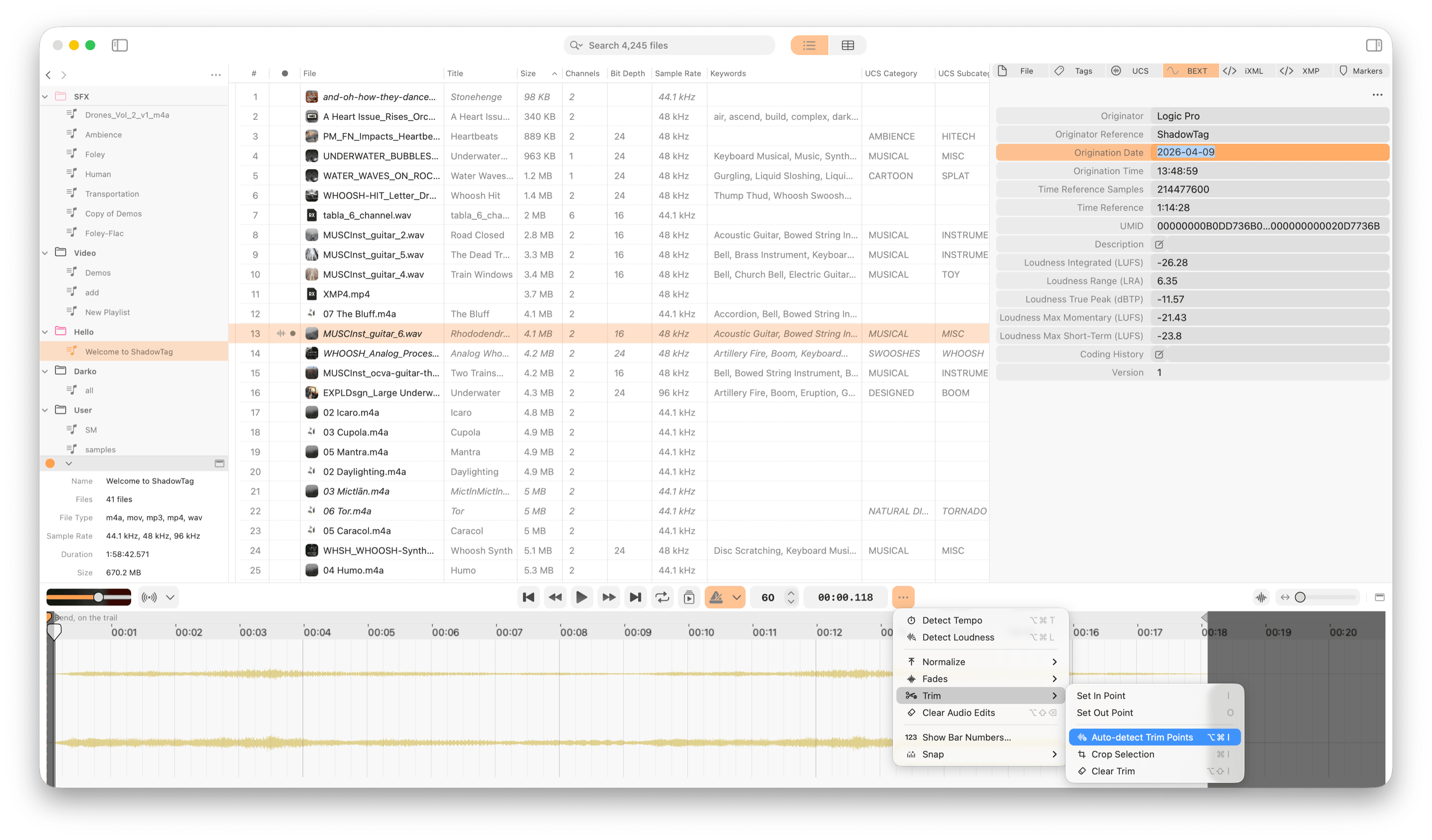
- Trim & Crop — Trim handles in the audio editor define playback in and out points. Set In Point and Set Out Point (I) snap them to the playhead. Crop Selection bounds playback to the current selection.
- Auto-Detect Trim Points — Scan for silence at the start and end of each file and propose trim boundaries automatically.
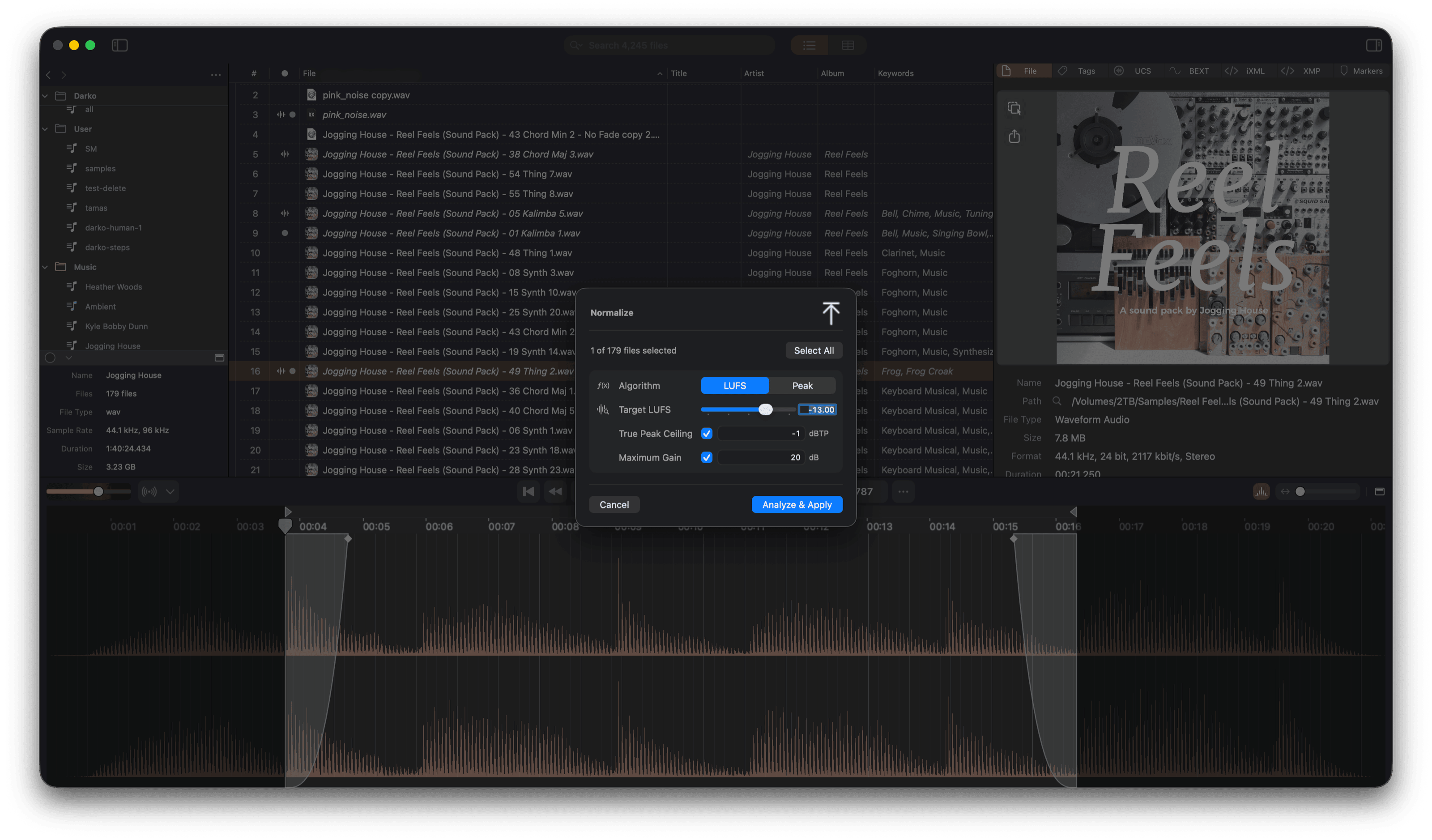
- Normalize — Measure Peak or LUFS loudness and apply the corresponding gain non-destructively. Configurable mode and target level.
Auditioning your edits is free. Writing audio edits back to the file requires ShadowTag Pro; Save Metadata Only writes only your tag edits and leaves the audio untouched.
Audio Format Conversion
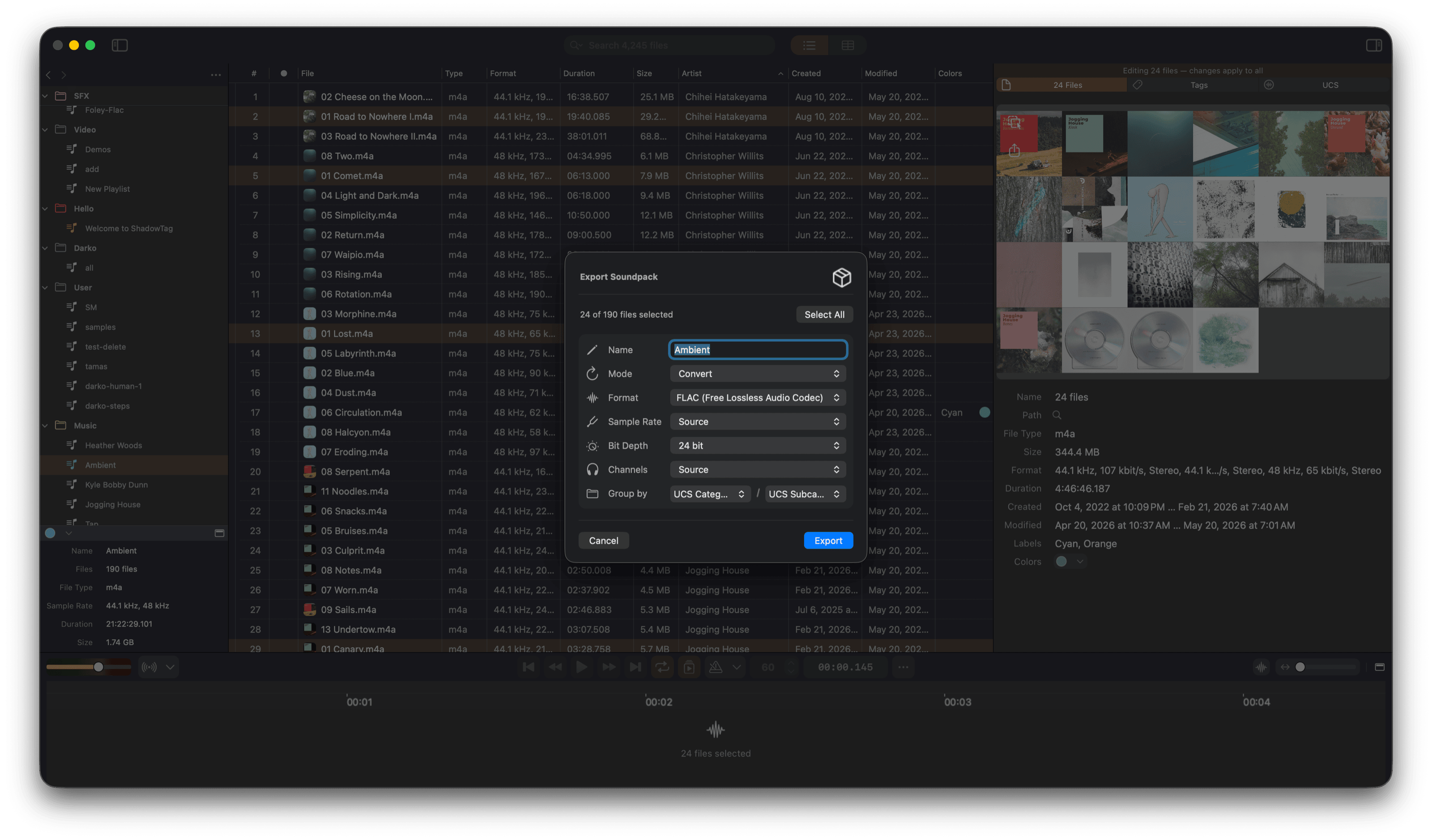
Convert files to any supported format from within your library. Output formats: WAV, AIFF, MP3, FLAC, OGG Opus, CAF, M4A. Options include sample rate, bit depth, channel count, bit rate, metadata handling, and file conflict behavior. Converted files can be added to a new playlist automatically. Audio Design Desk .addAudio and .addLibrary libraries can also be imported.
Search
Full-text search across all playlists or within the current playlist. Searches match against every metadata field. Results appear in a dedicated Search Results playlist and can be dragged into any other playlist to keep.
Your Data is Yours
ShadowTag stores your library — playlists, references, and settings — as plain, human-readable JSON. There is no proprietary database, no encryption, and no lock-in. You can inspect, back up, version control, or move your data to another context at any time. Metadata itself is written directly into your audio and video files using open standards, so it travels with the files wherever they go. See our Privacy Policy for details.
A Powerful Audio Player — Free, No Limits
Even without a Pro subscription, ShadowTag is a fully capable audio library player and manager. If you work with large collections of samples, loops, or music — and you want more control than a basic media player offers — ShadowTag gives you a professional playback environment at no cost.
- Playlist organization — Drag in any folder and ShadowTag builds a playlist instantly. Create as many playlists and groups as you need. Everything persists automatically.
- Direct DAW integration — Drag files from any playlist straight into Pro Tools, Logic, Reaper, Ableton, or any DAW that accepts audio drops. The dragged file is the real audio on disk with all embedded metadata — no export step.
- Complete metadata visibility — See every metadata field in every file: tags, BEXT, iXML, XMP, UCS, loudness, BPM, key, markers, and more. Read everything; no Pro needed.
- Precise playback control — Scrub to any position, set loop regions with sample-level accuracy, and let the playlist auto-advance. The waveform view shows position and loop points in real time.
- BPM-synced metronome — Tap along or let the detected BPM drive the click automatically. Useful for quickly checking whether a loop sits in time.
- Audio Unit plug-in chain — Load any AU effect plug-in into the signal path and audition your files through your processing — reverb, EQ, compression — without touching the file itself.
- Non-destructive audio editing preview — Fade, trim, crop, and normalize edits apply to playback in real time, so you can audition changes before deciding whether to commit them. The source file isn't touched until you save (Pro).
- Video support — Play video files and inspect their embedded metadata, including XMP. Useful for syncing sound work to picture.
- On-device analysis — Run loudness, tempo, key, and sound-keyword detection on any number of files, no internet required. Results appear as readable metadata immediately.
Metadata writing is a Pro feature, but reading, playing, organizing, and analyzing your library is entirely free.
ShadowTag Pro
All playback, import, tagging, analysis and detection tools are free with no file count limit.
ShadowTag Pro unlocks export features:
- Writing metadata to individual files
- Writing non-destructive audio edits (fades, trims, normalize) to files
- Batch Audio format conversion
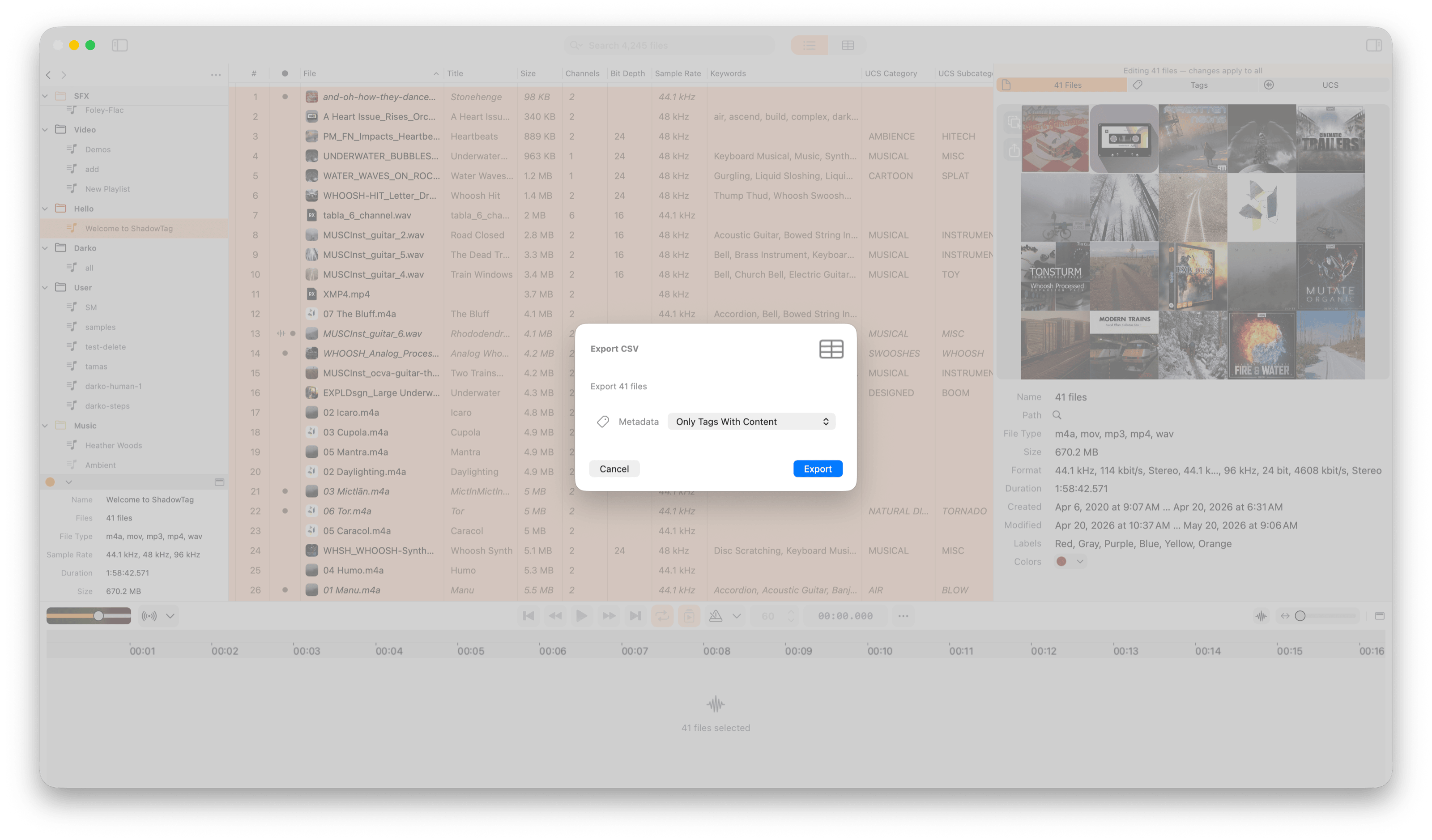
- CSV playlist export
- Metadata Image export
- UCS filename batch rename